

Cyber Monday is the last big chance of the year to pick up a new screen, and it is an especially good day for everyday desktop monitors: office, study and casual gaming screens that do not get as much attention as top-end gaming panels. Here are Cyber Monday desktop monitor deals worth watching, from a 4K 120Hz Dell to budget 120Hz screens.
We picked 8 desktop monitors using the specs on their Amazon listings. We do not quote prices because they change during the sale, so use each Check Price button for the live figure. If you are after a dedicated gaming screen, see our Black Friday gaming monitor deals and our monitor clearance deals.
Desktop monitors are a different shopping task from gaming monitors. Most people want a comfortable, sharp screen for hours of work, video and browsing, so size, resolution, eye comfort and ergonomics matter as much as refresh rate. That is why this guide mixes 4K office-friendly models with budget 120Hz screens and a QHD option for gaming on the side.
Top 3 Cyber Monday Desktop Monitors at a Glance


Best Cyber Monday Desktop Monitor Deals to Watch in 2026
Here are all eight monitors side by side. Cyber Monday falls on 30 November 2026, so check live prices on the day.
| # | Monitor | Size / Resolution | Refresh | Panel | Best for |
|---|---|---|---|---|---|
| 1 | Dell 27 Monitor S2725QS | 27″ 4K UHD | 120Hz | IPS | Best Overall 4K |
| 2 | Sceptre Prime 4K IPS 27″ U275W-UPT | 27″ 4K UHD | Up to 70+Hz | IPS | Best Budget 4K |
| 3 | HP E27k G5 27″ 4K | 27″ 4K UHD | 60Hz | IPS | Best for Office Work |
| 4 | Acer 27″ KB272 G0bi | 27″ 1080p | 120Hz | IPS | Best 120Hz Value |
| 5 | Amazon Basics 27″ FHD 100Hz | 27″ 1080p | 100Hz | IPS | Best Simple Everyday Monitor |
| 6 | MSI PRO MP225 E12VL | 22″ 1080p | 120Hz | Adaptive-Sync | Best Compact 22-Inch |
| 7 | SANSUI 27″ Curved 120Hz USB-C | 27″ curved | 120Hz | USB Type-C | Best Curved USB-C Pick |
| 8 | Hikers 27″ Curved QHD 170Hz | 27″ 1440p | 170Hz / 144Hz | Curved | Best Budget QHD |

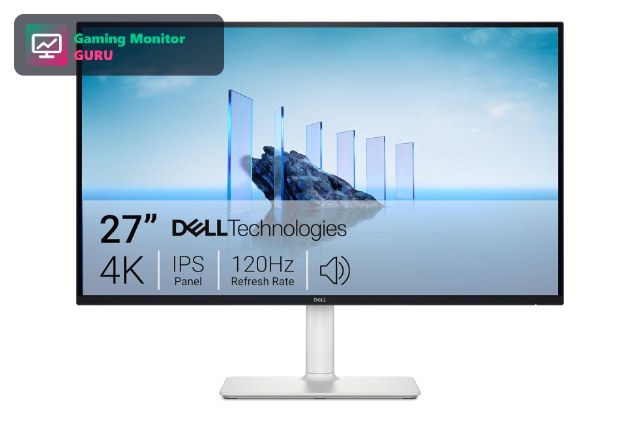
1. Dell 27 Monitor S2725QS – Best Overall 4K
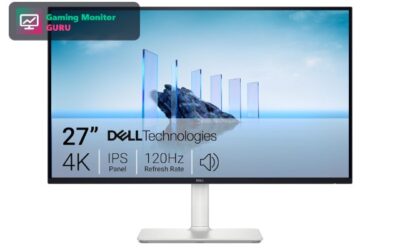
The Dell S2725QS stands out because 4K monitors with a 120Hz refresh rate used to cost a lot. It is a 27-inch 4K UHD IPS panel with FreeSync Premium, so it works well for office work, creative tasks and relaxed gaming.
If you want a single desktop monitor that handles everything, this is the one to watch on Cyber Monday. Check the live price and the full port list on the listing.
At 27 inches, 4K gives a pixel density that makes text noticeably crisper than Full HD, which is why it is popular with people who read, code or edit for hours. The 120Hz refresh rate is a bonus that makes scrolling smoother.
Best for: users who want one sharp 4K monitor for work and play.
May not fit if: you play fast competitive games and need the quickest response time.
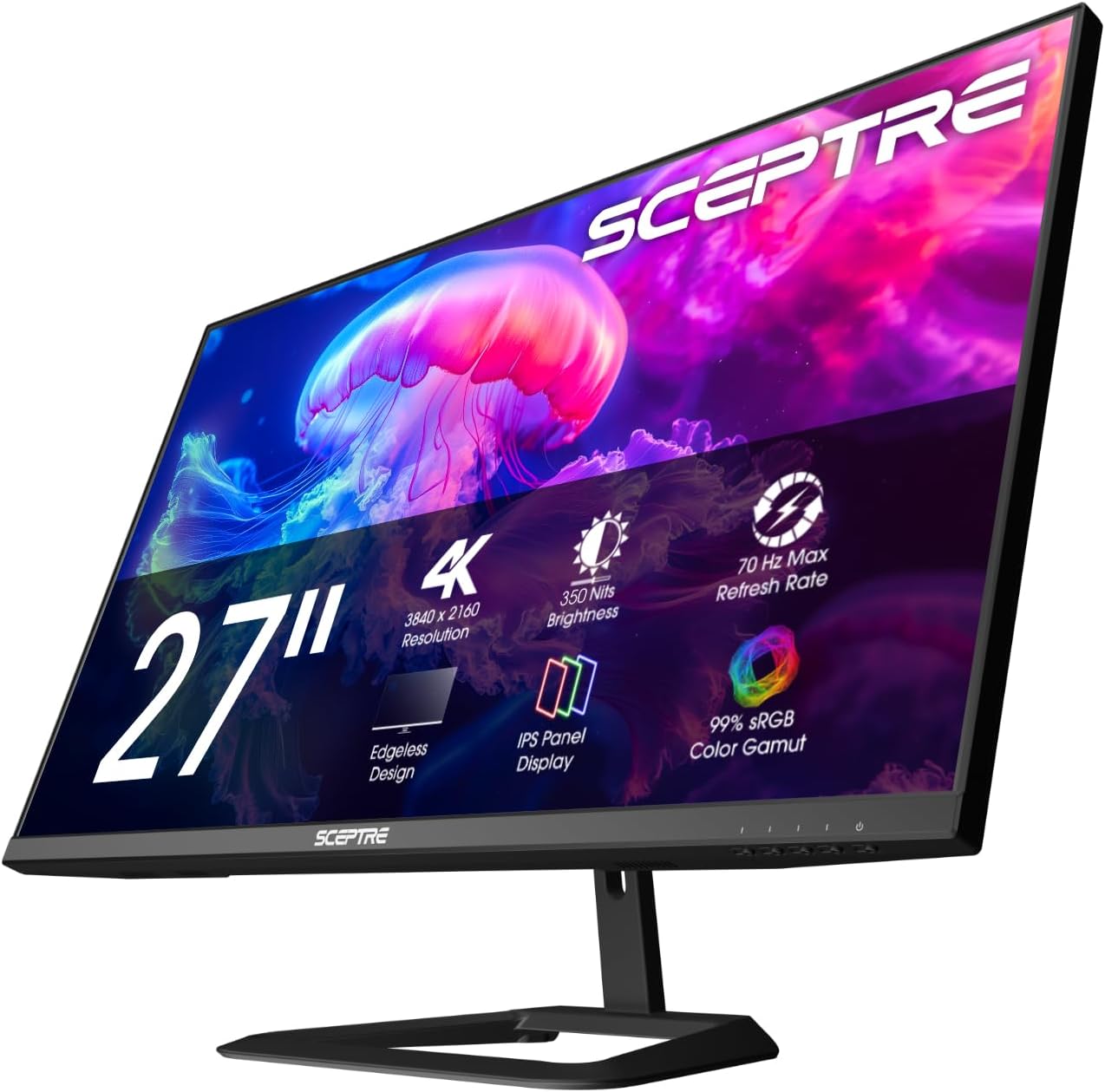
2. Sceptre Prime 4K IPS 27″ U275W-UPT – Best Budget 4K
Sceptre’s Prime 4K IPS monitor offers a 27-inch 4K panel with 100% sRGB coverage and built-in speakers. The refresh rate is listed as up to 70+Hz, so it is aimed at general use rather than fast gaming.
It is a likely candidate for a Cyber Monday discount. If you mostly work or watch video, it is a cost-effective way to get 4K.
Budget 4K monitors usually trade refresh rate and build quality for price. If your work is mostly documents and video, that trade is easy to accept; if you game, look at the faster models in this list.
Best for: budget shoppers who want 4K for work and media.
May not fit if: you want high refresh rates for gaming.
3. HP E27k G5 27″ 4K – Best for Office Work
The HP E27k G5 is an office-focused 27-inch 4K monitor with an IPS panel, 350 nits of brightness and a stand that adjusts in height. It runs at 60Hz, which is fine for documents, spreadsheets and video.
If you spend long days at a desk, the extra sharpness and ergonomic stand are the main reasons to consider it during Cyber Monday.
Office monitors like this one are designed around comfort and reliability: a height-adjustable stand, solid brightness and a plain design that fits a professional desk. They usually carry business-grade support as well.
Best for: office workers who want a sharp, adjustable 4K screen.
May not fit if: you want a high refresh rate for gaming.
4. Acer 27″ KB272 G0bi – Best 120Hz Value
The Acer KB272 G0bi is a 27-inch Full HD IPS monitor with a 120Hz refresh rate. It is a good step up from the standard 60Hz office monitors, because even basic mouse movement and scrolling feel smoother.
It is a sensible pick for a second screen or a first gaming monitor when budget is tight.
A 27-inch Full HD screen has a lower pixel density than a 27-inch 1440p or 4K screen, so text is a little soft. It remains a perfectly usable, inexpensive option for casual tasks and second screens.
Best for: budget shoppers who want a big, smooth 1080p screen.
May not fit if: you want 1440p or 4K sharpness.
5. Amazon Basics 27″ FHD 100Hz – Best Simple Everyday Monitor

Amazon Basics sells a simple 27-inch Full HD IPS monitor with a 100Hz refresh rate, built-in speakers and USB ports. It is designed for everyday use rather than competitive gaming.
VESA compatibility means you can put it on an arm, which is useful for a dual-monitor desk.
The built-in speakers and USB ports mean fewer cables on the desk. They are not hi-fi, but they are convenient for video calls and background audio.
Best for: home offices and study desks on a budget.
May not fit if: you want high refresh rates or 4K.
6. MSI PRO MP225 E12VL – Best Compact 22-Inch

MSI’s PRO MP225 E12VL is a compact 22-inch Full HD monitor that runs at 120Hz with Adaptive-Sync and a listed 1ms response. It supports tilt and VESA mounting.
If you have limited desk space, it is a handy second monitor or a basic first gaming screen.
A 22-inch screen is the smallest size in this list, which is an advantage on a narrow desk or when you place two monitors side by side. Make sure the size suits your viewing distance.
Best for: small desks and second-screen setups.
May not fit if: you want a large or high-resolution monitor.
7. SANSUI 27″ Curved 120Hz USB-C – Best Curved USB-C Pick

The SANSUI 27-inch curved monitor offers a 120Hz refresh rate and a USB Type-C connection. That makes it handy for connecting a laptop with a single cable.
Check the full specification and warranty on the listing, as smaller brands vary in support.
USB Type-C input is handy for modern laptops because one cable can carry video and, on some models, power. Check the listing to see exactly what the USB-C port supports.
Best for: laptop users who want a curved, USB-C-ready screen.
May not fit if: you want a well-known brand with long warranty support.
8. Hikers 27″ Curved QHD 170Hz – Best Budget QHD

The Hikers 27-inch curved monitor sits between budget Full HD screens and expensive 4K models. It offers a 1440p (2K) resolution with refresh rates listed at 170Hz and 144Hz, which is plenty for both work and games.
For a desktop that doubles as a gaming screen, that combination of sharpness and speed is often the sweet spot. Curved panels also reduce eye movement across a wide 27-inch display.
As with other lower-profile brands, read the listing for the warranty and return policy before you buy.
Best for: users who want a sharper-than-1080p screen that can also game.
May not fit if: you want a well-known brand or a flat panel.
How to Choose a Desktop Monitor on Cyber Monday
Choose the right size and resolution
27 inches at 4K, like the Dell S2725QS, gives the sharpest text. 27 inches at 1080p looks softer. Smaller 22-inch screens such as the MSI MP225 suit small desks.
Sit about an arm’s length from the screen. At that distance, 27 inches works well for most people. If you place the monitor closer, a smaller screen can be more comfortable.
Refresh rate: 60Hz, 100Hz or 120Hz
60Hz is fine for office work. 100Hz to 120Hz feels smoother for scrolling and casual gaming. Competitive gamers should see our gaming monitor deals.
If you only work and browse, 60Hz is fine. If you game or want smoother scrolling, 100Hz to 120Hz is a noticeable upgrade for little extra cost.
IPS panels for colour and viewing angles
Most monitors here use IPS panels, which look better from the side and keep colours consistent. VA panels give more contrast but can have narrower viewing angles.
IPS panels also show text more clearly from a slight angle, which helps when you share the screen with a colleague or sit off-centre.
Check ports, stand and mounting
Look for HDMI or DisplayPort, USB-C if you use a laptop, and VESA mounting if you want an arm. Height-adjustable stands help posture.
A monitor with a USB-C port can replace a docking cable for a laptop. A height-adjustable stand or VESA mount helps you set the screen at eye level.
Beware of fake deals
Compare the live price with the usual price rather than trusting the “was” price. See also our monitor clearance deals.
Check the seller and the delivery date as well as the price. Some deals come from third-party sellers with slower shipping or weaker return policies.
Frequently Asked Questions
When is Cyber Monday 2026?
Cyber Monday 2026 falls on Monday 30 November, three days after Black Friday on 27 November.
Many retailers keep deals going through the whole week, so you can compare several days. Use the Check Price buttons to see the current price.
Are desktop monitors cheaper on Cyber Monday?
Many monitors are discounted, but not all deals are real. Compare against the recent price on Amazon before you buy.
Prices vary. Popular sizes such as 27-inch models often see the biggest drops, but only on selected models.
Is 4K worth it for a desktop monitor?
If you spend a lot of time reading, editing or watching video, 4K at 27 inches is noticeably sharper. For gaming you need a strong graphics card.
For text work, 4K at 27 inches is a visible upgrade, and macOS and Windows scaling handle it well. For gaming, make sure your graphics card can drive 4K.
Should I buy on Black Friday or Cyber Monday?
Monitors are often discounted on both days. If you find a price you like on Black Friday, do not wait too long; stock can sell out.
If a model you want is discounted on Friday, there is little reason to wait for Monday unless you are comparing several monitors.
Final Verdict
The Dell 27 S2725QS is our best overall pick: a 4K IPS panel at 120Hz for work and play. The Sceptre Prime 4K IPS is the best budget 4K option, and the Acer KB272 G0bi is a good 120Hz value pick at 1080p.
Use the Check Price buttons to see live prices on Cyber Monday and buy only when the discount is real. If you game, read our Black Friday gaming monitor deals too.
Write Your Review
No reviews yet. Be the first to share your experience!