

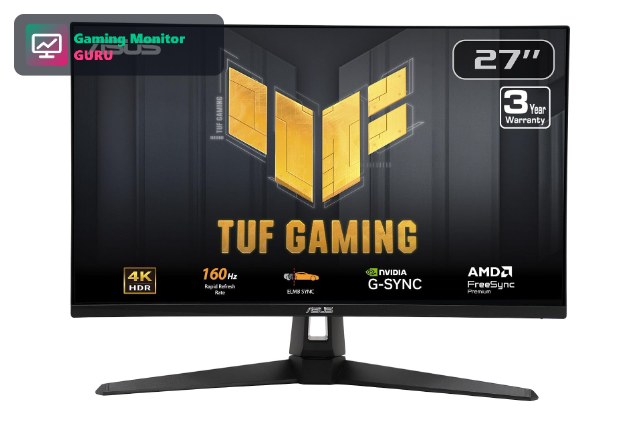
The PS5 renders many games in 4K, so a 4K display shows what the console is actually capable of. The best 4K monitor for PS5 has an HDMI 2.1 port for 4K at 120Hz, a panel that looks good in your room, and a size that fits your desk.
We compared 8 4K monitors using the specs on their Amazon listings. For the full overview, see our best gaming monitors for PS5; if you want to prioritize frame rate, see our 4K 120Hz monitor guide and 120Hz monitor guide. Prices change often, so use the Check Price buttons.
It helps to know that the PS5 does not render every game in native 4K. Many titles use dynamic resolution or upscaling to reach 60 or 120fps, but they still output a 4K signal to the display. A 4K monitor therefore shows the console’s full output, gives crisp menus and text, and also works well for streaming apps and 4K video.
Top 3 Best 4K Monitors for PS5 at a Glance


Best 4K Monitors for PS5 in 2027
Here are all eight 4K monitors side by side. Check the HDMI version on the listing if you want 4K at 120Hz.
| # | Monitor | Size / Resolution | Refresh | Panel | Best for |
|---|---|---|---|---|---|
| 1 | ASUS TUF Gaming VG27UQ1A | 27″ 4K UHD | 160Hz | G-SYNC compatible | Best Overall 4K |
| 2 | LG UltraGear 27G810A-B | 27″ 4K UHD IPS | 180Hz (FHD 360Hz) | IPS | Best 4K with HDMI 2.1 |
| 3 | Acer Nitro VG270K V4 | 27″ 4K UHD | 160Hz (DFR 320Hz) | IPS | Best Acer 4K Option |
| 4 | Amzfast 27″ 4K Dual Mode | 27″ 4K UHD | 160Hz (FHD 320Hz) | Fast IPS | Best Budget Dual-Mode 4K |
| 5 | AOC U32G4 32″ 4K | 32″ 4K UHD | Dual Mode 320Hz | G-SYNC Compatible | Best Large 4K |
| 6 | CRUA 32″ 4K 160Hz Curved | 32″ 4K UHD | 160Hz | Curved 1500R | Best Curved 4K |
| 7 | Sceptre Prime 4K IPS 27″ U275W-UPT | 27″ 4K UHD | Up to 70+Hz | IPS | Best Cheap 4K IPS |
| 8 | Dell 27 Monitor S2725QS | 27″ 4K UHD | 120Hz | IPS | Best 4K 120Hz Value |

1. ASUS TUF Gaming VG27UQ1A – Best Overall 4K
ASUS lists the VG27UQ1A as a 27-inch 4K, 160Hz G-SYNC compatible gaming monitor in its TUF Gaming range. The combination of high resolution and refresh rate makes it a well-rounded pick.
Confirm the HDMI version on the full spec sheet, because 4K 120Hz on PS5 needs HDMI 2.1.
High refresh rates at 4K are demanding for PCs, but a console works in fixed modes, so a 160Hz monitor simply gives headroom. The main thing to confirm is the HDMI version.
Best for: players who want a sharp 27-inch 4K monitor.
May not fit if: you need a confirmed HDMI 2.1 spec at a glance.
2. LG UltraGear 27G810A-B – Best 4K with HDMI 2.1
The LG 27G810A-B pairs a 27-inch 4K IPS panel with HDMI 2.1, which is what the PS5 needs for 4K at 120Hz. It also supports both G-Sync and FreeSync Premium.
The dual mode lets you switch to a faster Full HD mode if you also play competitive games on a PC.
HDMI 2.1 and VRR support make this one of the safest 4K choices for a PS5. The IPS panel also gives consistent colours when you sit at an angle.
Best for: PS5 owners who want 4K 120Hz with confirmed HDMI 2.1.
May not fit if: you want top HDR contrast.
3. Acer Nitro VG270K V4 – Best Acer 4K Option
The Acer Nitro VG270K V4 is a 27-inch 4K IPS monitor with 160Hz and a dual-frame-rate mode that reaches 320Hz at lower resolution.
Read the full specifications to confirm HDMI 2.1 before buying for 4K 120Hz.
Dual-frame-rate modes let a monitor trade resolution for speed, which is handy for PC play. On PS5 you will mostly use the 4K mode.
Best for: shoppers who like Acer Nitro monitors.
May not fit if: you need a confirmed HDMI 2.1 port.
4. Amzfast 27″ 4K Dual Mode – Best Budget Dual-Mode 4K
Amzfast sells a 27-inch 4K Fast IPS monitor with a dual mode: UHD at 160Hz or FHD at 320Hz. It is aimed at players who want both visuals and speed.
As with many smaller brands, check the ports and warranty on the listing.
Smaller brands often undercut major brands on price. Look at the return policy and warranty before you decide, and read recent customer reviews.
Best for: budget-minded players who want 4K and a fast mode.
May not fit if: you want a major brand.
5. AOC U32G4 32″ 4K – Best Large 4K

AOC’s U32G4 is a 32-inch 4K gaming monitor with a dual mode refresh rate up to 320Hz. The large size is great if you sit a bit farther from your desk.
Check the full spec sheet for the HDMI version before you buy for PS5.
At 32 inches, 4K gives about the same pixel density as a 1440p screen at 24 inches, so it is pleasantly sharp from normal viewing distance while being much bigger.
Best for: players who want a big 4K display.
May not fit if: you have a small desk.
6. CRUA 32″ 4K 160Hz Curved – Best Curved 4K

CRUA’s 32-inch curved monitor combines 4K resolution with a 160Hz refresh rate and a 1500R curve. FreeSync support helps with smooth motion.
It is a budget-friendly way to get a big curved 4K display.
A 1500R curve is gentle enough for comfortable desktop use. It adds immersion in racing and open-world games.
Best for: players who want a large curved 4K screen.
May not fit if: you prefer flat panels.
7. Sceptre Prime 4K IPS 27″ U275W-UPT – Best Cheap 4K IPS
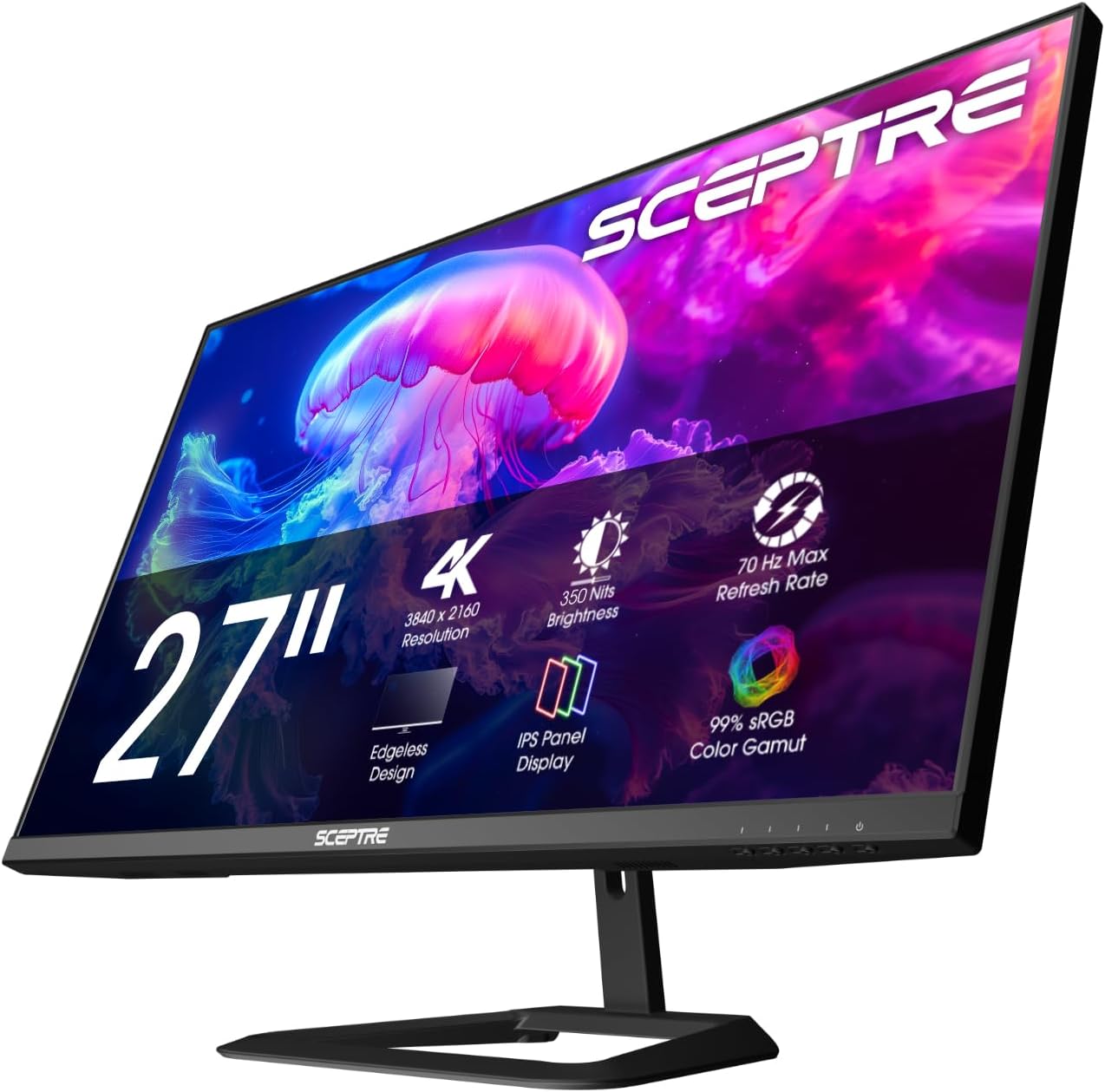
Sceptre’s Prime 4K IPS monitor is a 27-inch UHD screen with 100% sRGB coverage and built-in speakers. The refresh rate is listed as up to 70+Hz.
It suits 4K 60fps games and cinematic titles, but not high frame rate modes.
If you mainly play 4K at 60fps, a budget 4K monitor with a lower refresh rate is a good way to save money. Avoid it if you want 4K 120Hz.
Best for: players on a budget who play 4K 60fps games.
May not fit if: you want 4K at 120Hz.
8. Dell 27 Monitor S2725QS – Best 4K 120Hz Value

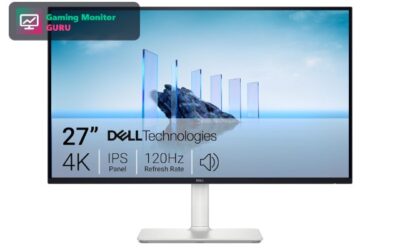
The Dell S2725QS is a 27-inch 4K UHD IPS monitor with a 120Hz refresh rate and FreeSync Premium. Those specs are a rare combination at a sensible price, and 120Hz is exactly what the PS5 can output.
Because it is a general-purpose desktop monitor, it works equally well for office work, browsing and media. That makes it a strong choice if the screen needs to do more than gaming.
The 5ms response time is slower than dedicated gaming monitors, but for most single-player and cinematic PS5 games the difference is small.
Best for: players who want one 4K monitor for gaming, work and media.
May not fit if: you play fast competitive shooters and need the lowest response time.
How to Choose a 4K Monitor for PS5
HDMI 2.1 is the key
The PS5 outputs 4K at 120Hz only over HDMI 2.1. HDMI 2.0 monitors are limited to 4K 60Hz.
If a monitor lists “HDMI 2.1” in the full specifications, look for the exact bandwidth. Some models support only part of the HDMI 2.1 feature set.
27 or 32 inches
27 inches is sharper per inch and fits most desks. 32 inches such as the AOC U32G4 suits a longer viewing distance.
If you plan to sit close at a desk, 27 inches usually looks sharper. If you sit on a couch or far from the desk, 32 inches may be more comfortable.
IPS, VA and HDR
IPS panels offer colour and viewing angles. Many budget 4K monitors list HDR, but real HDR needs good local dimming. For top contrast see OLED monitors for PS5.
HDR on cheap monitors can look washed out. If HDR is a priority, look at models with local dimming or OLED.
Refresh rate for console
The PS5 stops at 120Hz, so 160Hz or higher is extra headroom for PC use.
If you want to move to PC gaming later, a high-refresh 4K monitor gives you room to grow.
VRR support
Variable refresh rate reduces tearing. Look for FreeSync or G-SYNC compatible and HDMI VRR support.
VRR works best when the game fluctuates around the monitor’s VRR range. Check the supported range in the specs.
Frequently Asked Questions
Is a 4K monitor worth it for PS5?
Yes, if you want to see games at native 4K. Choose a monitor with HDMI 2.1 for 4K 120Hz.
A 4K monitor also improves your experience with streaming apps, Blu-ray discs and photo viewing.
Does the PS5 work with a 4K monitor?
Yes. Any 4K monitor with HDMI works. Frame rate depends on the HDMI version.
The console detects the monitor’s capabilities automatically and offers the best supported mode.
Is 27 or 32 inches better for 4K gaming?
27 inches is sharper at a desk. 32 inches is better for a longer viewing distance.
If you have limited desk space, choose 27 inches. If you want a more cinematic experience, choose 32 inches.
4K or 1440p for PS5?
4K matches the console output; 1440p is easier to run and cheaper. See our PS5 monitor guide for both.
If you mostly play fast shooters, a 1440p monitor with a high refresh rate may feel better than a 4K one.
Final Verdict
The ASUS TUF VG27UQ1A is our best overall 4K pick, the LG UltraGear 27G810A-B is the best for HDMI 2.1, and the AOC U32G4 is the best large screen.
For 120fps, read our 4K 120Hz monitor guide; for Pro owners see best gaming monitors for PS5 Pro.
Write Your Review
No reviews yet. Be the first to share your experience!