

The PS5 can output up to 4K at 120Hz, but only if the monitor on the other end can receive it. That is why the best gaming monitor for PS5 is not simply the one with the biggest refresh-rate number: you need an HDMI 2.1 input for 4K 120Hz, a panel that suits how you play, and a screen size that fits your desk.
We compared 9 gaming monitors from Sony, LG, ASUS, Acer, Alienware and Samsung, using the specs listed on Amazon, and ranked them for console play. If you are also shopping for a more specific setup, see our guides to 4K 120Hz monitors for PS5, HDMI 2.1 gaming monitors for PS5 and Sony gaming monitors for PS5, or browse all console gaming monitors.
Top 3 Best Gaming Monitors for PS5 at a Glance


Best Gaming Monitors for PS5 in 2027
Here is every monitor in this guide side by side. Specs come from the Amazon listings, so confirm the HDMI version on the product page before buying if 4K 120Hz is your goal.
| # | Monitor | Size / Resolution | Refresh | Inputs | Best for |
|---|---|---|---|---|---|
| 1 | Sony INZONE M9 II | 27″ 4K UHD | 160Hz | HDMI 2.1 + DP 2.1 | Best Overall |
| 2 | LG UltraGear 27G810A-B | 27″ 4K UHD IPS | 180Hz (FHD 360Hz) | HDMI 2.1 | Best 4K IPS Dual-Mode |
| 3 | ASUS TUF Gaming VG27AQ3A | 27″ 1440p | 180Hz | HDMI (check listing) | Best Value 1440p |
| 4 | Sony INZONE M9 | 27″ 4K UHD | 144Hz | HDMI 2.1 | Best Proven Sony Pick |
| 5 | LG UltraGear 32GX850A-B OLED | 32″ 4K OLED | 165Hz / 330Hz dual-mode | HDMI + DP | Best Premium OLED |
| 6 | Acer Nitro VG270K V4 | 27″ 4K IPS | 160Hz (DFR 320Hz) | HDMI (check listing) | Best Acer 4K Option |
| 7 | ASUS TUF Gaming VG27UQ1A | 27″ 4K UHD | 160Hz | HDMI (check listing) | Best ASUS 4K |
| 8 | Alienware 27 AW2725DM | 27″ 1440p Fast IPS | 180Hz | HDMI (check listing) | Best Fast IPS 1440p |
| 9 | Samsung Odyssey G5 G51F 32″ | 32″ QHD | 180Hz | HDMI (check listing) | Best Big-Screen 1440p Value |
1. Sony INZONE M9 II – Best Overall
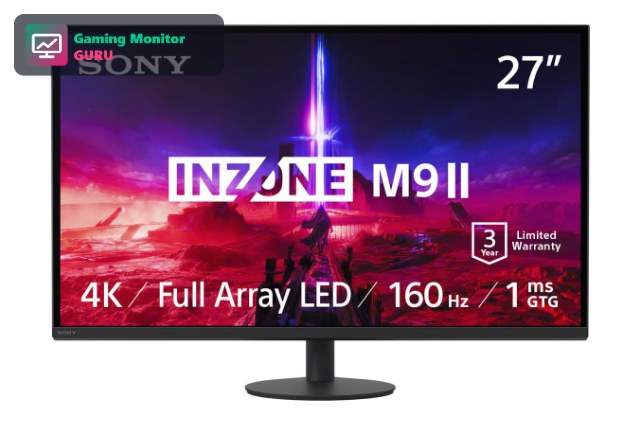
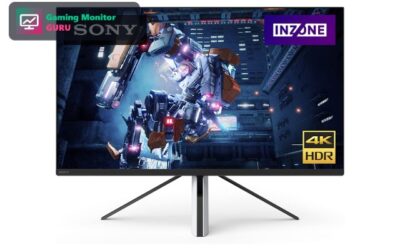
The INZONE M9 II is the monitor that makes the most sense for a PS5 owner who wants one display for every game. It is a 27-inch 4K UHD panel with a full-array LED backlight, DisplayHDR 600 and HDMI 2.1, so the console can output 4K at up to 120Hz with variable refresh rate where a game supports it.
Sony designed the INZONE line alongside its console and PC gaming gear, and it shows in the feature list: built-in speakers, a 1ms GtG response spec and a 3-year limited warranty. The 160Hz ceiling and DisplayPort 2.1 input are more than the PS5 needs, but they leave room if you later connect a gaming PC to the same screen.
Best for: players who want a premium 4K HDR experience on PS5 and may add a PC later.
May not fit if: you only play 60fps or 1080p console games, where a cheaper 1440p panel makes more sense.
2. LG UltraGear 27G810A-B – Best 4K IPS Dual-Mode
LG sells the 27G810A-B as a dual-mode UltraGear: a 27-inch 4K UHD IPS panel running up to 180Hz, or a 1080p mode that goes up to 360Hz. For a PS5 the 4K mode is what counts, and the HDMI 2.1 port is what lets the console send 4K at 120Hz.
The listing also mentions 1ms response, NVIDIA G-Sync, AMD FreeSync Premium and VESA DisplayHDR 400. HDR 400 will not match a full-array panel, but IPS colour and viewing angles are a good fit for a monitor that is sometimes shared on the desk with a friend.
Best for: PS5 owners who want a sharp 4K IPS screen with room to grow into PC gaming.
May not fit if: deep HDR contrast is your top priority.
3. ASUS TUF Gaming VG27AQ3A – Best Value 1440p
The VG27AQ3A is the sensible-money pick in this roundup. It is a 27-inch 1440p Fast IPS panel with a 180Hz refresh rate, 1ms response, 130% sRGB coverage, FreeSync Premium and HDR10, and the listing itself says it is suitable for PS5 and Xbox.
The PS5 supports 1440p output, which is a good match for a screen this size: games stay sharp without the heavy GPU cost of native 4K. Always confirm the exact HDMI input version in the listing if 120Hz is the goal, then use the monitor as a flexible PC screen too.
Best for: shoppers who want a sharp 1440p display for console and PC without paying 4K prices.
May not fit if: you want native 4K output from the PS5.
4. Sony INZONE M9 – Best Proven Sony Pick

The original INZONE M9 is a 27-inch 4K HDR gaming monitor with a 144Hz refresh rate, HDMI 2.1 and full-array local dimming. Those three features are the core of what a PS5 owner needs for 4K at 120Hz with strong HDR contrast.
It is the predecessor of the M9 II, so it is worth comparing the two listings: if the newer model costs more than you want to spend, the M9 keeps the essentials for console play.
Best for: PS5 players who want Sony-branded 4K HDR at a lower step than the M9 II.
May not fit if: you want the newest generation features and the longest feature list.
5. LG UltraGear 32GX850A-B OLED – Best Premium OLED

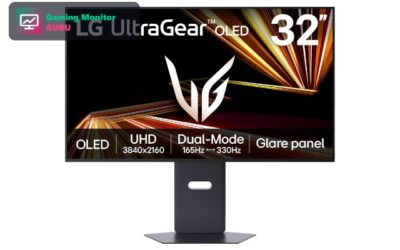
The 32GX850A-B is the splurge pick: a 32-inch 4K UHD glossy OLED with a dual-mode 165Hz/330Hz refresh rate, 0.03ms response and TrueBlack 400 HDR. OLED pixels switch off for true blacks, which is a strong match for dark single-player games on PS5.
The listing mentions HDMI and DisplayPort inputs, G-SYNC and FreeSync Premium Pro. Check that the HDMI port supports the 4K 120Hz mode you want, and keep in mind that this is a premium monitor best suited to players who care more about image quality than cost.
Best for: players who want OLED contrast on a large 4K screen.
May not fit if: you play mostly in a bright room or are watching your budget.
6. Acer Nitro VG270K V4 – Best Acer 4K Option

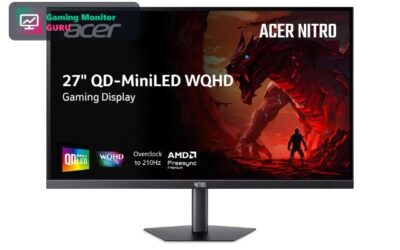
The Nitro VG270K V4 is a 27-inch 4K (3840×2160) IPS gaming monitor with a 160Hz refresh rate and a dual-frame-rate mode that reaches 320Hz at lower resolution. For a PS5, the 4K panel is the draw.
Because the listing title does not spell out the HDMI version, read the full specifications on Amazon first: 4K 120Hz on PS5 requires HDMI 2.1.
Best for: shoppers who like the Acer Nitro line and want a 4K IPS screen.
May not fit if: you need a confirmed HDMI 2.1 spec without checking the listing.
7. ASUS TUF Gaming VG27UQ1A – Best ASUS 4K

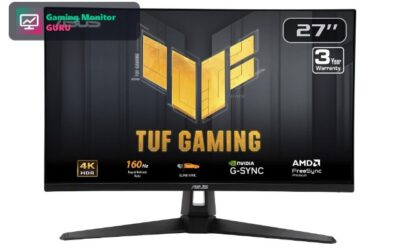
ASUS describes the VG27UQ1A as a 27-inch 4K, 160Hz G-SYNC gaming monitor in the TUF Gaming line. That combination is a good fit for a high-resolution console setup.
As with other 4K monitors in this list, verify the HDMI version in the full spec sheet before ordering if your goal is 4K at 120Hz on PS5.
Best for: players who prefer ASUS and want a 4K 160Hz screen.
May not fit if: you want a model whose title already confirms HDMI 2.1.
8. Alienware 27 AW2725DM – Best Fast IPS 1440p

The AW2725DM is a 27-inch WQHD Fast IPS gaming monitor with a 180Hz refresh rate and G-SYNC. At 1440p it is easier on hardware than 4K, and the PS5 can output 1440p.
Alienware designs are distinctive and the VESA support is handy if you want to mount the screen on an arm next to your console setup.
Best for: players who want a sharp 1440p fast IPS screen with a premium look.
May not fit if: you want native 4K from the PS5.
9. Samsung Odyssey G5 G51F 32″ – Best Big-Screen 1440p Value

The Odyssey G5 (G51F) is a 32-inch QHD gaming monitor with a 180Hz refresh rate. It is the biggest-screen value option here, which suits a console player who sits a little farther from the display.
Because the listing is light on port details, confirm the HDMI version and any VRR support in the full specs before buying.
Best for: budget-minded players who want a big 1440p screen.
May not fit if: you sit close to the screen and want maximum sharpness.
How to Choose a Gaming Monitor for PS5
HDMI 2.1 Is the Key to 4K 120Hz
The PS5 can output 4K at 120Hz, but only over an HDMI 2.1 connection. A monitor with HDMI 2.0 will cap out at 4K 60Hz. Monitors such as the Sony INZONE M9 II and LG UltraGear 27G810A list HDMI 2.1 in their Amazon titles; for others, check the full spec sheet.
4K or 1440p?
A 4K screen is the closest match for what the PS5 renders and suits big, cinematic games. A 1440p screen such as the ASUS TUF VG27AQ3A is cheaper and sharp at 27 inches, and the PS5 can output 1440p. See our 4K monitor for PS5 guide for more.
IPS, OLED and HDR
IPS panels offer wide viewing angles and good colour. OLED, like the LG 32GX850A, adds true blacks but costs more. For HDR, full-array local dimming, found on the Sony INZONE M9 line, beats edge-lit DisplayHDR 400 screens.
Refresh Rate and VRR
The PS5 tops out at 120Hz, so 160Hz or 360Hz headroom matters mainly if you also use a PC. Variable refresh rate (VRR) helps smooth frame-rate dips on supported games.
Size, Stand and Speakers
27 inches is a good desk size for 4K. Go 32 inches if you sit farther back. Built-in speakers, as on the Sony and ASUS models, are handy, but a headset is still the better option for competitive play.
Frequently Asked Questions
Does the PS5 support 1440p monitors?
Yes. The PS5 can output 1440p, so a 1440p monitor such as the ASUS TUF VG27AQ3A or Alienware AW2725DM works well. The console scales its image to fit the screen.
Do I need HDMI 2.1 for a PS5 monitor?
You need HDMI 2.1 if you want 4K at 120Hz. With HDMI 2.0 you are limited to 4K 60Hz, or 1080p and 1440p at higher refresh rates.
Is a 144Hz or 240Hz monitor worth it for PS5?
The PS5 outputs up to 120Hz, so anything above that is mostly future-proofing for a PC. A 4K 120Hz-capable monitor is the key spec.
Should I buy a TV or a monitor for PS5?
A monitor is better for desk use and low input lag, while a TV suits living-room play. If you sit at a desk, a monitor from this list is the better fit.
Final Verdict
For most PS5 owners, the Sony INZONE M9 II is the best overall pick thanks to its 4K panel, full-array backlight and HDMI 2.1. The LG UltraGear 27G810A-B is a strong 4K IPS alternative, and the ASUS TUF VG27AQ3A is the best-value 1440p choice. If you want OLED, the LG 32GX850A is the premium option.
Next, read our best OLED monitor for PS5 or explore 120Hz monitors for PS5 if you want to compare further.
Write Your Review
No reviews yet. Be the first to share your experience!