

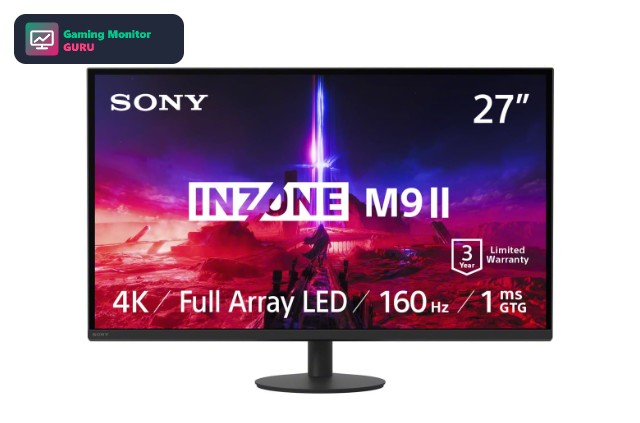
Sony designs its INZONE gaming monitors to pair with PlayStation, so a Sony gaming monitor for PS5 is a natural first stop for console players. The INZONE range focuses on 4K HDMI 2.1 screens and one very fast OLED model, which makes it a short, simple list to compare.
Because Sony has only a handful of monitors, we added four alternatives from LG, ASUS and Dell that offer similar HDMI 2.1 or 4K features. If you want to see more options, read our gaming monitor for PS5 guide or the HDMI 2.1 monitors for PS5 list.
The first three picks are Sony models; the last four are alternatives. We note HDMI 2.1 only where the Amazon listing mentions it.
Top 3 Best Sony Gaming Monitors for PS5 at a Glance


Best Sony Gaming Monitors for PS5 and Alternatives
Sony sells only a few INZONE monitors, so this list covers all three plus four non-Sony alternatives worth comparing.
| # | Monitor | Size / Resolution | Refresh | Panel / Notes | Category |
|---|---|---|---|---|---|
| 1 | Sony INZONE M9 II | 27" 4K | 160Hz | G-Sync | Overall |
| 2 | Sony INZONE M9 | 27" 4K | 144Hz | G-Sync | 4K HDMI 2.1 Pick |
| 3 | Sony INZONE M10S | 27" 1440p OLED | 480Hz | OLED | OLED Pick |
| 4 | LG UltraGear 27G810A-B | 27" 4K IPS | Up to 360Hz (lower res) | IPS | 4K Pick |
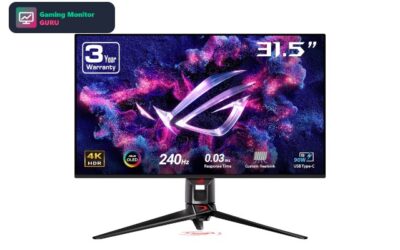
| 5 | ASUS ROG Swift OLED PG27UCDM | 27" 4K QD-OLED | 240Hz | QD-OLED | High-Refresh Pick |
| 6 | Dell 27 Plus S2725QS | 4K IPS | 120Hz | IPS | Solid Alternative |
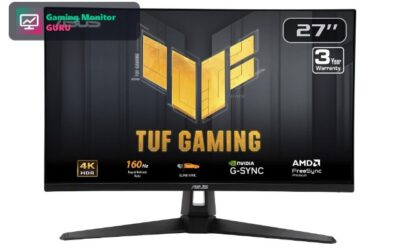
| 7 | ASUS TUF Gaming VG27UQ1A | 27" 4K | 160Hz | G-Sync | G-Sync Pick |
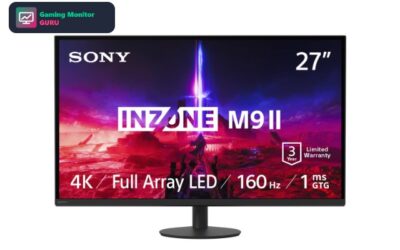
1. Sony INZONE M9 II – Best Overall
The Sony INZONE M9 II is a 27-inch 4K UHD gaming monitor. It offers a 160Hz refresh rate. The listing quotes a 1ms response time. Adaptive sync comes from G-Sync. Other features mentioned in the listing include HDR600 HDR support, built-in speakers and HDMI 2.1 inputs.
For PS5, the HDMI 2.1 mention matters: it is what a console needs for 4K at 120Hz, so confirm the exact number of HDMI 2.1 ports on the product page before buying.
It has few ratings at the moment, so treat it as a promising option rather than a proven favourite and read the latest reviews first.
Best for: gamers who want the sharpest picture.
May not fit if: you need a specification that is not listed in the title, so check the product page first.
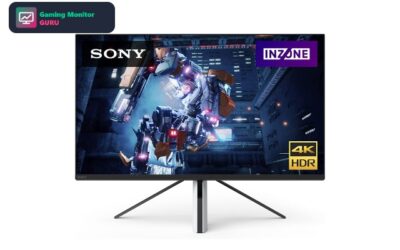
2. Sony INZONE M9 – Best 4K HDMI 2.1 Pick
On paper, the Sony INZONE M9 is a 27-inch 4K UHD monitor with a 144Hz refresh rate. Adaptive sync comes from G-Sync. Other features mentioned in the listing include HDR HDR support and HDMI 2.1 inputs.
For PS5, the HDMI 2.1 mention matters: it is what a console needs for 4K at 120Hz, so confirm the exact number of HDMI 2.1 ports on the product page before buying.
It has few ratings at the moment, so treat it as a promising option rather than a proven favourite and read the latest reviews first.
Best for: gamers who want the sharpest picture.
May not fit if: you need a specification that is not listed in the title, so check the product page first.
3. Sony INZONE M10S – Best OLED Pick
Sony INZONE M10S pairs a 27-inch 1440p QHD screen with a 480Hz refresh rate and an OLED panel.
The PS5 has supported 1440p output since a 2022 system update, so a 1440p monitor like this can run games above 60Hz where the game allows it, as long as the HDMI port supports the refresh rate. OLED gives per-pixel contrast and very fast response, but static HUD elements can raise burn-in risk over time, so vary your content and use the screen-saver and pixel-refresh features.
It has few ratings at the moment, so treat it as a promising option rather than a proven favourite and read the latest reviews first.
Best for: players who want deep blacks and very fast response.
May not fit if: you leave static windows on screen for hours or play mostly in a bright room.
4. LG UltraGear 27G810A-B – Best 4K Pick

LG UltraGear 27G810A-B pairs a 27-inch 4K UHD screen with a refresh rate of up to 360Hz at a lower resolution and an IPS panel. Adaptive sync comes from FreeSync Premium. The listing quotes a 1ms response time. Other features mentioned in the listing include HDR400 HDR support and HDMI 2.1 inputs.
For PS5, the HDMI 2.1 mention matters: it is what a console needs for 4K at 120Hz, so confirm the exact number of HDMI 2.1 ports on the product page before buying. IPS panels keep colours and brightness consistent from wide angles, which suits shared screens and desk setups.
The listing has limited feedback so far, so read the newest customer reviews and check the return policy before you commit.
Best for: gamers who want the sharpest picture.
May not fit if: you need a specification that is not listed in the title, so check the product page first.
5. ASUS ROG Swift OLED PG27UCDM – Best High-Refresh Pick

On paper, the ASUS ROG Swift OLED PG27UCDM is a 27-inch 4K UHD monitor with a 240Hz refresh rate, using a QD-OLED panel.
This is a 4K screen, so the PS5 can send a 4K picture. The title does not confirm HDMI 2.1, so expect 4K at 60Hz unless the full specification says otherwise. OLED gives per-pixel contrast and very fast response, but static HUD elements can raise burn-in risk over time, so vary your content and use the screen-saver and pixel-refresh features.
Amazon owners rate it 4.5 out of 5 across 233 ratings, so there is plenty of real-world feedback to read before you buy. The title does not state the HDMI version, so check the listing before assuming 4K at high refresh rates on a console.
Best for: players who want deep blacks and very fast response.
May not fit if: you leave static windows on screen for hours or play mostly in a bright room.
6. Dell 27 Plus S2725QS – Solid Alternative

On paper, the Dell 27 Plus S2725QS is a 4K UHD monitor with a 120Hz refresh rate, using an IPS panel. Adaptive sync comes from FreeSync Premium. The listing quotes a 5ms response time.
This is a 4K screen, so the PS5 can send a 4K picture. The title does not confirm HDMI 2.1, so expect 4K at 60Hz unless the full specification says otherwise. IPS panels keep colours and brightness consistent from wide angles, which suits shared screens and desk setups.
The listing has limited feedback so far, so read the newest customer reviews and check the return policy before you commit. The title does not state the HDMI version, so check the listing before assuming 4K at high refresh rates on a console.
Best for: gamers who want the sharpest picture.
May not fit if: you need HDMI 2.1 confirmed in the title for 4K at 120Hz on a console.
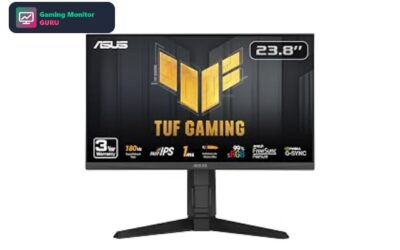
7. ASUS TUF Gaming VG27UQ1A – Best G-Sync Pick

The ASUS TUF Gaming VG27UQ1A is a 27-inch 4K UHD gaming monitor. It offers a 160Hz refresh rate. Adaptive sync comes from G-Sync.
This is a 4K screen, so the PS5 can send a 4K picture. The title does not confirm HDMI 2.1, so expect 4K at 60Hz unless the full specification says otherwise. The title does not state the HDMI version, so check the listing before assuming 4K at high refresh rates on a console.
It has few ratings at the moment, so treat it as a promising option rather than a proven favourite and read the latest reviews first.
Best for: gamers who want the sharpest picture.
May not fit if: you need HDMI 2.1 confirmed in the title for 4K at 120Hz on a console.
How to Choose a Sony Monitor for PS5
Why choose Sony
INZONE monitors are built to work with PlayStation, with console-friendly features such as automatic picture mode switching and HDMI 2.1 on the 4K models. If you want a setup that feels designed for PS5, Sony is a sensible brand to start with.
INZONE M9 II vs M9
The M9 II is the newer 4K model with a higher refresh rate and a full-array backlight listed. The M9 is the older model and can be a better value when it is on sale, though some features differ. Compare the current listings side by side.
When the M10S makes sense
The INZONE M10S is a 1440p OLED aimed at speed. It suits players who value response time and contrast over 4K sharpness, and its refresh rate far exceeds what the PS5 outputs, so it is also a good fit for a gaming PC.
HDMI 2.1 and cables
For 4K at 120Hz, use an HDMI 2.1 port and an Ultra High Speed cable. Confirm the port count on the listing before you buy.
Consider alternatives
Brands like LG, ASUS and Dell offer similar 4K screens with different stands, ports and warranty terms. If the price of a Sony model is not right on the day you buy, an alternative can be the better choice.
Frequently Asked Questions
Is Sony INZONE good for PS5?
Yes. INZONE monitors are designed with PlayStation in mind and the 4K models list HDMI 2.1, which is what the console needs for 4K at 120Hz.
Which Sony monitor is best for PS5?
The INZONE M9 II is the best all-round choice on this list for most PS5 owners. The M10S is better if you want OLED contrast and a very high refresh rate for PC gaming.
Do Sony monitors work with PC?
Yes. They work like any gaming monitor, and the higher refresh rates are fully used by a gaming PC, which the console cannot match.
Are there cheaper alternatives?
Yes. The alternatives in this list include 4K models from LG, ASUS and Dell. Check the current Amazon price to see which one fits your budget.
Final Verdict
For most players, the Sony INZONE M9 II is the Sony monitor to buy for PS5: it is a 4K screen with a high refresh rate and HDMI 2.1 support. The INZONE M10S is the one to pick if you prefer OLED speed over resolution.
If a Sony model is out of your range, the LG UltraGear 27G810A-B and ASUS ROG Swift OLED PG27UCDM are two strong alternatives. For more ideas, see the best OLED monitors for PS5 and the best gaming monitors for PS5 Pro.
Written and reviewed by Ethan Carter. Specs are checked against the manufacturer and Amazon listings. See our editorial policy and review methodology. Last reviewed: November 2026.
Write Your Review
No reviews yet. Be the first to share your experience!