

The Xbox Series X can output 4K at up to 120Hz with variable refresh rate, but you only get those features if the monitor supports them. The best gaming monitor for Xbox Series X therefore needs an HDMI 2.1 input for 4K 120Hz, solid HDR or fast response, and a panel size that fits your desk.
We compared 9 gaming monitors using the specs listed on Amazon and ranked them for Xbox play. Most of these also work with a PS5, so you can also read our best gaming monitors for PS5 and 4K 120Hz monitor guide. Prices change often, so use each Check Price button for the live figure.
Xbox owners also have to think about the Series S, which tops out at lower resolutions, and about which games actually offer 120fps modes. A monitor with HDMI 2.1 and VRR is the safest long-term choice because it works with whatever the console and games support. Every monitor in this guide is a good match for at least one of those scenarios.
Top 3 Best Gaming Monitors for Xbox Series X at a Glance


Best Gaming Monitors for Xbox Series X in 2027
Here are all nine monitors side by side. Check the HDMI version on the listing if 4K 120Hz is your goal.
| # | Monitor | Size / Resolution | Refresh | Inputs | Best for |
|---|---|---|---|---|---|
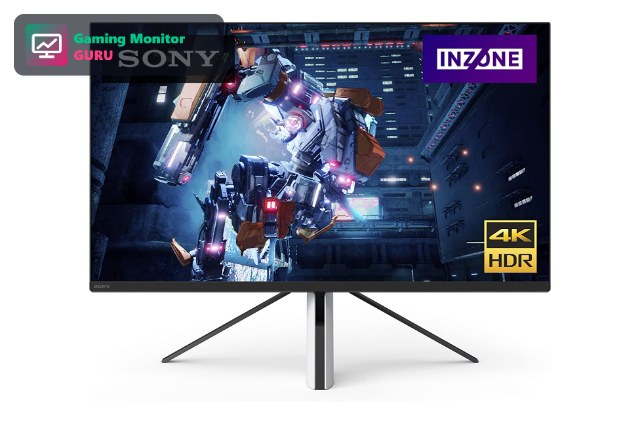
| 1 | Sony INZONE M9 | 27″ 4K UHD | 144Hz | HDMI 2.1 | Best Overall for Xbox |
| 2 | LG UltraGear 27G810A-B | 27″ 4K UHD IPS | 180Hz (FHD 360Hz) | HDMI 2.1 | Best 4K IPS |
| 3 | Dell 27 Monitor S2725QS | 27″ 4K UHD IPS | 120Hz | HDMI (check listing) | Best Value 4K 120Hz |
| 4 | AOC U32G4 32″ 4K Dual Mode | 32″ 4K UHD | Dual Mode 320Hz | G-SYNC Compatible | Best Large 4K |
| 5 | Alienware 27 AW2725DM | 27″ 1440p | 180Hz | HDMI (check listing) | Best Fast IPS 1440p |
| 6 | Acer Nitro KG271U Z2bmiipx | 27″ 1440p | 275Hz | IPS | Best 275Hz QHD Value |
| 7 | ASUS TUF Gaming VG27AQ3A | 27″ 1440p | 180Hz | HDMI (check listing) | Best Budget-Friendly 1440p |
| 8 | Gawfolk 32″ 4K Curved 120Hz | 32″ 4K UHD | 120Hz | Curved VA | Best Cheap Curved 4K |
| 9 | Acer Nitro MG275U X2 | 27″ 1440p | Up to 210Hz | 2 x HDMI 2.1 | Best HDR Brightness |

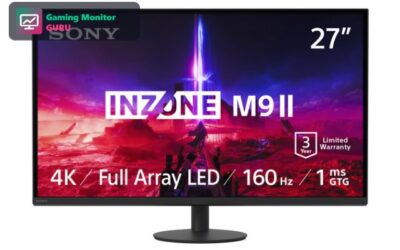
1. Sony INZONE M9 – Best Overall for Xbox
The INZONE M9 combines a 27-inch 4K panel, 144Hz refresh rate and HDMI 2.1, which is exactly what the Xbox Series X needs for 4K at 120Hz. Full-array local dimming also gives HDR games better contrast than a basic edge-lit screen.
It was built with console gaming in mind, so it is an easy recommendation for an Xbox player who wants one monitor that looks great.
On Xbox you do not get Sony’s PS5-specific features, but the monitor still works as a normal HDMI 2.1 display. Check that VRR and 4K 120Hz are enabled in the Xbox video settings after you connect it.
Best for: Xbox players who want 4K 120Hz with strong HDR.
May not fit if: you are on a tight budget.
2. LG UltraGear 27G810A-B – Best 4K IPS
LG’s 27G810A-B is a 4K IPS gaming monitor with HDMI 2.1 and FreeSync Premium. That mix is good for Xbox, which supports variable refresh rate and 4K output.
The extra 360Hz Full HD mode helps if you also play competitive PC shooters.
Because LG supports both G-Sync and FreeSync Premium, this monitor is flexible if you also use an NVIDIA or AMD graphics card on a PC. That makes it a sensible choice for a shared console and PC desk.
Best for: players who want 4K IPS for console and PC.
May not fit if: you want the best HDR contrast.
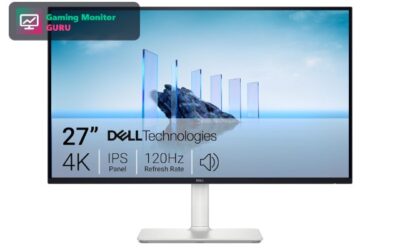
3. Dell 27 Monitor S2725QS – Best Value 4K 120Hz
The Dell S2725QS is a 27-inch 4K IPS monitor with a 120Hz refresh rate and FreeSync Premium. The 120Hz value matches the Xbox Series X maximum, so it is a good fit for console gaming.
It is not a dedicated gaming monitor, so response time is 5ms, but it works well for casual and cinematic games and everyday use.
The 5ms response time is slower than dedicated gaming monitors, but most Xbox games are not played competitively at that level. Cinematic and single-player games benefit more from the 4K sharpness.
Best for: players who also use the screen for work and media.
May not fit if: you play fast competitive shooters.
4. AOC U32G4 32″ 4K Dual Mode – Best Large 4K

AOC’s U32G4 is a 32-inch 4K gaming monitor with a dual-mode refresh rate up to 320Hz. The large screen makes it a good choice if you sit a bit farther from the display.
Look at the full specification to confirm the HDMI inputs before you buy for 4K 120Hz on Xbox.
A 32-inch screen changes the experience if you sit a metre or more away. Couch-style setups or a desk at the far end of a room suit this size better than a standard 27-inch monitor.
Best for: players who want a big 4K screen.
May not fit if: you have a small desk.
5. Alienware 27 AW2725DM – Best Fast IPS 1440p

The AW2725DM is a 27-inch WQHD Fast IPS monitor with a 180Hz refresh rate and G-SYNC. The Xbox Series X supports 1440p output, so it is a good match for a sharp, fast image.
It is a stylish choice if you also use the monitor with a gaming PC.
1440p at 180Hz leaves lots of headroom above the Xbox’s 120Hz maximum, so you will not run out of refresh rate. The VESA mount also allows easy placement on a monitor arm.
Best for: players who prefer fast 1440p over 4K.
May not fit if: you want native 4K.
6. Acer Nitro KG271U Z2bmiipx – Best 275Hz QHD Value
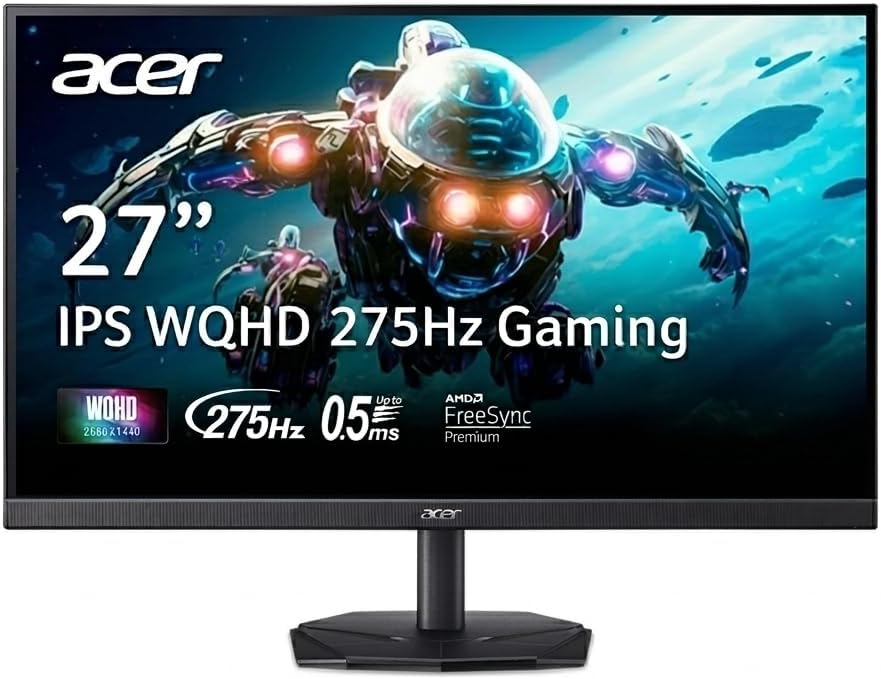
The Acer Nitro KG271U is a 27-inch QHD IPS monitor that goes up to 275Hz. Xbox consoles stop at 120Hz, so the extra speed is for PC play, but it gives you room to grow.
It is a good value choice if you split time between Xbox and a gaming PC.
The 275Hz refresh rate is overkill for a console, but QHD IPS monitors with this feature set are often priced reasonably, so you can get a PC-ready monitor at a good value.
Best for: players who split time between Xbox and PC.
May not fit if: you only need a console monitor.
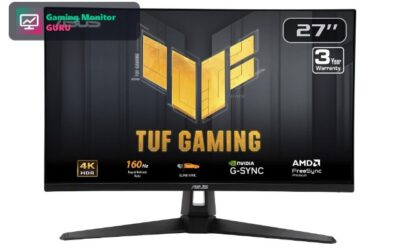
7. ASUS TUF Gaming VG27AQ3A – Best Budget-Friendly 1440p
ASUS describes the VG27AQ3A as suitable for PS5 and Xbox. It is a 27-inch 1440p Fast IPS monitor with 180Hz, 1ms response and FreeSync Premium.
It is a sensible pick if you want console-friendly gaming without paying 4K prices.
Since ASUS mentions Xbox use in the listing, it is a lower-risk purchase if you are not sure how your console will behave with the monitor. Check the manual for the recommended video settings.
Best for: players who want a console-friendly 1440p monitor.
May not fit if: you want native 4K.
8. Gawfolk 32″ 4K Curved 120Hz – Best Cheap Curved 4K

Gawfolk’s 32-inch curved monitor offers 4K resolution at 120Hz on a VA panel with a 1500R curve. VA panels generally offer deeper blacks than IPS.
It is a budget-friendly way to get a large 4K screen, but check ports and warranty on the listing.
VA panels can show slower pixel response in dark scenes than IPS, so check reviews for smearing if you play fast games. For cinematic games, the extra contrast is a real benefit.
Best for: shoppers who want a big, curved 4K screen on a budget.
May not fit if: you want a major brand with long support.
9. Acer Nitro MG275U X2 – Best HDR Brightness

The Acer Nitro MG275U X2 is a 27-inch QD-MiniLED IPS monitor with a 2560×1440 resolution and a refresh rate of up to 210Hz. Its HDR1000 rating and quantum-dot colour coverage make HDR games look noticeably brighter than on a standard LCD.
Two HDMI 2.1 ports mean you can leave an Xbox Series X and a gaming PC connected at the same time, and AMD FreeSync Premium works well with the Xbox’s variable refresh rate support.
The Xbox Series X outputs 1440p, so the monitor’s native resolution lines up with a sharp, fast picture without the cost of 4K.
Best for: Xbox players who want bright HDR and fast 1440p.
May not fit if: you want native 4K or true OLED blacks.
How to Choose a Gaming Monitor for Xbox Series X
HDMI 2.1 for 4K 120Hz
The Xbox Series X outputs 4K at up to 120Hz over HDMI 2.1. An HDMI 2.0 monitor limits you to 4K 60Hz. Monitors like the Sony INZONE M9 and LG 27G810A-B list HDMI 2.1.
In the Xbox settings, look for the video modes menu and enable 120Hz and VRR. If the options are greyed out, the HDMI cable or monitor port may not support the signal, so use the cable that came with the monitor.
4K or 1440p
4K matches the console’s output, while 1440p monitors such as the ASUS VG27AQ3A are cheaper and easier to run. See our 4K monitor guide for more.
Many Xbox games dynamically adjust their resolution to hit 60 or 120fps, so a 1440p monitor can look nearly as sharp as 4K in motion while giving higher frame rates.
Variable refresh rate
Xbox supports VRR, including FreeSync, which reduces tearing when the frame rate dips. Check the listing for FreeSync or HDMI VRR support.
VRR is especially helpful in games with fluctuating frame rates, where tearing and stutter are common. Enable it in the console settings and the monitor’s on-screen menu.
IPS, VA or OLED
IPS gives good colours, VA gives deeper blacks, and OLED offers the best contrast at a higher price. See best OLED monitors for console.
OLED monitors are best in a dark room. If your gaming space is bright, an IPS monitor with high brightness will be easier to see.
Size and speakers
27 inches is a good desk size for 4K; go 32 inches if you sit farther back. A headset is still the best choice for gaming audio.
If you play with a headset, speaker quality matters little. For couch co-op, a pair of speakers or a soundbar is better than built-in monitor audio.
Frequently Asked Questions
Can I use a PC monitor with Xbox Series X?
Yes. Any monitor with an HDMI input works. For 4K 120Hz you need HDMI 2.1.
You may need an HDMI 2.1 cable for 4K 120Hz. Use the cable that came with the monitor or one marked as ultra high speed.
Does Xbox Series X support 1440p?
Yes, the Xbox Series X supports 1440p output, so a 1440p monitor works well.
The console downsamples or upscales to match the monitor, so you do not need to change game settings manually in most cases.
Is 144Hz or 240Hz worth it for Xbox?
Xbox Series X outputs up to 120Hz, so higher refresh rates are only useful if you also play on a PC.
Higher refresh rates are useful for PC gaming, but for Xbox the main benefits are HDMI 2.1 and VRR support.
What size monitor is best for Xbox?
27 inches suits most desks. A 32-inch screen is better if you sit farther away.
Consider viewing distance too. A 27-inch screen is good at arm’s length; 32 inches suits a longer distance.
Final Verdict
The Sony INZONE M9 is the best overall monitor for Xbox Series X here, with 4K, HDMI 2.1 and full-array local dimming. The Dell S2725QS is the best 4K 120Hz value, and the ASUS TUF VG27AQ3A is the best 1440p pick.
If you also own a PlayStation, read our gaming monitor for PS5 guide, or compare 120Hz monitors for both consoles.
Write Your Review
No reviews yet. Be the first to share your experience!