

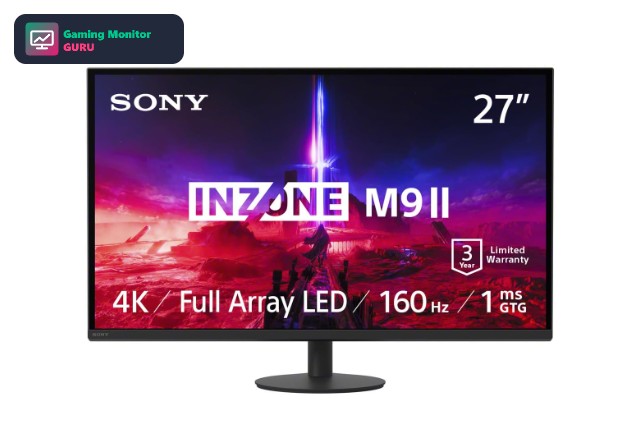
If you want everything the PS5 can output, a HDMI 2.1 gaming monitor for PS5 is the only way to get it. HDMI 2.1 gives the console enough bandwidth for 4K at 120Hz and variable refresh rate, while HDMI 2.0 monitors usually cap you at 4K 60Hz or force a lower resolution for smoother motion.
We looked at 8 monitors that mention HDMI 2.1 in their listings and compared panel type, resolution and refresh rate. If you are still deciding on the screen type, our gaming monitor for PS5 guide covers the basics, and the 4K monitors for PS5 page lists more 4K options.
One thing to remember: some monitors list HDMI 2.1 on only one port or run it at reduced bandwidth. That is why we flag anything that needs checking rather than assuming full 48Gbps support.
Top 3 Best HDMI 2.1 Gaming Monitors for PS5 at a Glance


Best HDMI 2.1 Gaming Monitors for PS5
Here are all eight monitors side by side. Each one mentions HDMI 2.1 in its Amazon listing, but you should still confirm the number of HDMI 2.1 ports on the product page.
| # | Monitor | Size / Resolution | Refresh | Panel / Notes | Category |
|---|---|---|---|---|---|
| 1 | Sony INZONE M9 II | 27" 4K | 160Hz | G-Sync | Overall |
| 2 | Sony INZONE M9 | 27" 4K | 144Hz | G-Sync | 4K HDMI 2.1 Pick |
| 3 | LG UltraGear 27G810A-B | 27" 4K IPS | Up to 360Hz (lower res) | IPS | 4K Pick |
| 4 | ViewSonic VX2728J-2K | 27" 1440p IPS | 180Hz | IPS | G-Sync Pick |
| 5 | GIGABYTE MO27Q2A QD-OLED | 27" 1440p QD-OLED | 280Hz | QD-OLED | OLED Pick |
| 6 | LG UltraGear 27GX704A-B | 27" 1440p OLED | 240Hz | OLED | High-Refresh Pick |
| 7 | Acer Predator XB273K | 27" 4K IPS | 320Hz | IPS | Solid Alternative |
| 8 | GIGABYTE MO32U24 QD-OLED | 31.5" 4K QD-OLED | 240Hz | QD-OLED | Large Screen |


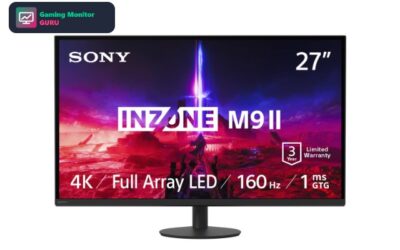
1. Sony INZONE M9 II – Best Overall
On paper, the Sony INZONE M9 II is a 27-inch 4K UHD monitor with a 160Hz refresh rate. Adaptive sync comes from G-Sync. The listing quotes a 1ms response time. Other features mentioned in the listing include HDR600 HDR support, built-in speakers and HDMI 2.1 inputs.
For PS5, the HDMI 2.1 mention matters: it is what a console needs for 4K at 120Hz, so confirm the exact number of HDMI 2.1 ports on the product page before buying.
It has few ratings at the moment, so treat it as a promising option rather than a proven favourite and read the latest reviews first.
Best for: gamers who want the sharpest picture.
May not fit if: you need a specification that is not listed in the title, so check the product page first.
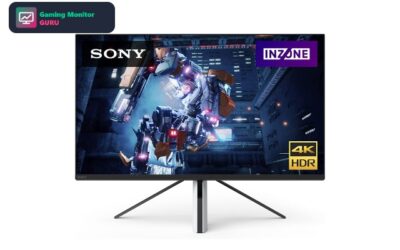
2. Sony INZONE M9 – Best 4K HDMI 2.1 Pick
On paper, the Sony INZONE M9 is a 27-inch 4K UHD monitor with a 144Hz refresh rate. Adaptive sync comes from G-Sync. Other features mentioned in the listing include HDR HDR support and HDMI 2.1 inputs.
For PS5, the HDMI 2.1 mention matters: it is what a console needs for 4K at 120Hz, so confirm the exact number of HDMI 2.1 ports on the product page before buying.
It has few ratings at the moment, so treat it as a promising option rather than a proven favourite and read the latest reviews first.
Best for: gamers who want the sharpest picture.
May not fit if: you need a specification that is not listed in the title, so check the product page first.
3. LG UltraGear 27G810A-B – Best 4K Pick
The LG UltraGear 27G810A-B is a 27-inch 4K UHD gaming monitor built around an IPS panel. It offers a refresh rate of up to 360Hz at a lower resolution. The listing quotes a 1ms response time. Adaptive sync comes from FreeSync Premium. Other features mentioned in the listing include HDR400 HDR support and HDMI 2.1 inputs.
For PS5, the HDMI 2.1 mention matters: it is what a console needs for 4K at 120Hz, so confirm the exact number of HDMI 2.1 ports on the product page before buying. IPS panels keep colours and brightness consistent from wide angles, which suits shared screens and desk setups.
The listing has limited feedback so far, so read the newest customer reviews and check the return policy before you commit.
Best for: gamers who want the sharpest picture.
May not fit if: you need a specification that is not listed in the title, so check the product page first.
4. ViewSonic VX2728J-2K – Best G-Sync Pick

The ViewSonic VX2728J-2K is a 27-inch 1440p QHD gaming monitor built around an IPS panel. It offers a 180Hz refresh rate. The listing quotes a 0.5ms response time. Adaptive sync comes from G-Sync Compatible. Other features mentioned in the listing include HDR10 HDR support and HDMI 2.1 inputs.
For PS5, the HDMI 2.1 mention matters: it is what a console needs for 4K at 120Hz, so confirm the exact number of HDMI 2.1 ports on the product page before buying. IPS panels keep colours and brightness consistent from wide angles, which suits shared screens and desk setups.
Amazon owners rate it 4 out of 5 across 235 ratings, so there is plenty of real-world feedback to read before you buy.
Best for: players who want a balanced 1440p screen.
May not fit if: you need a specification that is not listed in the title, so check the product page first.
5. GIGABYTE MO27Q2A QD-OLED – Best OLED Pick

The GIGABYTE MO27Q2A QD-OLED is a 27-inch 1440p QHD gaming monitor built around a QD-OLED panel. It offers a 280Hz refresh rate. The listing quotes a 0.03ms response time. Adaptive sync comes from G-Sync Compatible. Other features mentioned in the listing include USB-C connectivity, a built-in KVM switch and HDMI 2.1 inputs.
For PS5, the HDMI 2.1 mention matters: it is what a console needs for 4K at 120Hz, so confirm the exact number of HDMI 2.1 ports on the product page before buying. OLED gives per-pixel contrast and very fast response, but static HUD elements can raise burn-in risk over time, so vary your content and use the screen-saver and pixel-refresh features.
It holds a 4.3-star average from 52 Amazon ratings, which gives a useful picture of build quality and reliability.
Best for: players who want deep blacks and very fast response.
May not fit if: you leave static windows on screen for hours or play mostly in a bright room.
6. LG UltraGear 27GX704A-B – Best High-Refresh Pick

LG UltraGear 27GX704A-B pairs a 27-inch 1440p QHD screen with a 240Hz refresh rate and an OLED panel. Adaptive sync comes from G-Sync Compatible. The listing quotes a 0.03ms response time. Other features mentioned in the listing include HDR HDR support and HDMI 2.1 inputs.
For PS5, the HDMI 2.1 mention matters: it is what a console needs for 4K at 120Hz, so confirm the exact number of HDMI 2.1 ports on the product page before buying. OLED gives per-pixel contrast and very fast response, but static HUD elements can raise burn-in risk over time, so vary your content and use the screen-saver and pixel-refresh features.
The listing has limited feedback so far, so read the newest customer reviews and check the return policy before you commit.
Best for: players who want deep blacks and very fast response.
May not fit if: you leave static windows on screen for hours or play mostly in a bright room.
7. Acer Predator XB273K – Solid Alternative

The Acer Predator XB273K is a 27-inch 4K UHD gaming monitor built around an IPS panel. It offers a 320Hz refresh rate. The listing quotes a 0.5ms response time. Adaptive sync comes from FreeSync Premium. Other features mentioned in the listing include HDR400 HDR support, built-in speakers and HDMI 2.1 inputs.
For PS5, the HDMI 2.1 mention matters: it is what a console needs for 4K at 120Hz, so confirm the exact number of HDMI 2.1 ports on the product page before buying. IPS panels keep colours and brightness consistent from wide angles, which suits shared screens and desk setups.
Amazon owners rate it 4 out of 5 across 41 ratings, so there is plenty of real-world feedback to read before you buy.
Best for: gamers who want the sharpest picture.
May not fit if: you need a specification that is not listed in the title, so check the product page first.
8. GIGABYTE MO32U24 QD-OLED – Best Large Screen

The GIGABYTE MO32U24 QD-OLED is a 31.5-inch 4K UHD gaming monitor built around a QD-OLED panel. It offers a 240Hz refresh rate. The listing quotes a 0.03ms response time. Adaptive sync comes from G-Sync Compatible. Other features mentioned in the listing include USB-C connectivity, a built-in KVM switch and HDMI 2.1 inputs.
For PS5, the HDMI 2.1 mention matters: it is what a console needs for 4K at 120Hz, so confirm the exact number of HDMI 2.1 ports on the product page before buying. OLED gives per-pixel contrast and very fast response, but static HUD elements can raise burn-in risk over time, so vary your content and use the screen-saver and pixel-refresh features.
It has few ratings at the moment, so treat it as a promising option rather than a proven favourite and read the latest reviews first.
Best for: players who want deep blacks and very fast response.
May not fit if: you leave static windows on screen for hours or play mostly in a bright room.
How to Choose an HDMI 2.1 Monitor for PS5
What HDMI 2.1 gives you
HDMI 2.1 adds the bandwidth for 4K at 120Hz, variable refresh rate and auto low latency mode. On PS5, that means smoother motion in games that offer a 120Hz mode and less tearing with VRR-enabled titles.
Check the port count
Many monitors have only one or two HDMI 2.1 ports and the rest at HDMI 2.0. Make sure the PS5 goes into the HDMI 2.1 port and that your PC, if you use one, is on DisplayPort.
Bandwidth and cables
Use the Ultra High Speed HDMI cable that ships with the PS5. A lower-grade cable can limit the signal to 60Hz or cause flickering at 4K 120Hz.
4K, 1440p or both
A 4K screen shows the sharpest PS5 picture. A 1440p screen is easier on the console in 120Hz modes and often costs less, and the PS5 can output 1440p.
Dual-mode monitors
Some listings advertise two refresh rates, for example a high 4K rate and a higher Full HD rate. The highest number is often only available at the lower resolution, so check which rate applies at 4K.
Frequently Asked Questions
Do I need HDMI 2.1 for PS5?
You do not need it to play, but you need it for 4K at 120Hz and for VRR on a monitor. Without it, you will usually play at 4K 60Hz or at a lower resolution with a higher refresh rate.
Will an HDMI 2.0 monitor work with PS5?
Yes, an HDMI 2.0 monitor works, but it is limited to 4K at 60Hz or 1080p and 1440p at up to 120Hz depending on the model. The picture will still be good for most games.
Does PS5 support VRR on monitors?
Yes, the PS5 supports variable refresh rate over HDMI 2.1 on compatible displays. Turn it on in the console video settings and check that the monitor’s VRR option is enabled.
Which cable should I use?
Use an Ultra High Speed HDMI cable. The cable included with the PS5 is the safest choice for 4K at 120Hz.
Final Verdict
For a straightforward PS5 setup, the Sony INZONE M9 II is the most direct match: it is a 4K gaming monitor that lists HDMI 2.1 and is designed around the console. The LG UltraGear 27G810A-B is a strong alternative if you also want a high-refresh option for a gaming PC.
Whichever you pick, check the HDMI 2.1 port count on the listing and use a certified cable. For more picks, see our Sony gaming monitors for PS5 or OLED monitors for PS5.
Written and reviewed by Ethan Carter. Specs are checked against the manufacturer and Amazon listings. See our editorial policy and review methodology. Last reviewed: November 2026.
Write Your Review
No reviews yet. Be the first to share your experience!